Introducing folder ingest and native PDFs: bring your whole project to your agent
Drop a whole project folder into ContextGate and the structure comes with it. PDFs go straight to the model as native documents. Your agent gets the real context, not a flattened pile of files.
An agent is only as useful as the context it can see. And real work does not arrive as one tidy file — it arrives as a project: a folder of contracts, a directory of reports, notes nested three levels deep. Getting all of that in front of an agent used to mean uploading files one at a time and watching the folder structure flatten into a meaningless heap.
This release fixes that. ContextGate now ingests whole folders, reads PDFs natively, and keeps agent-generated files out of your way.
Upload a folder — keep its shape
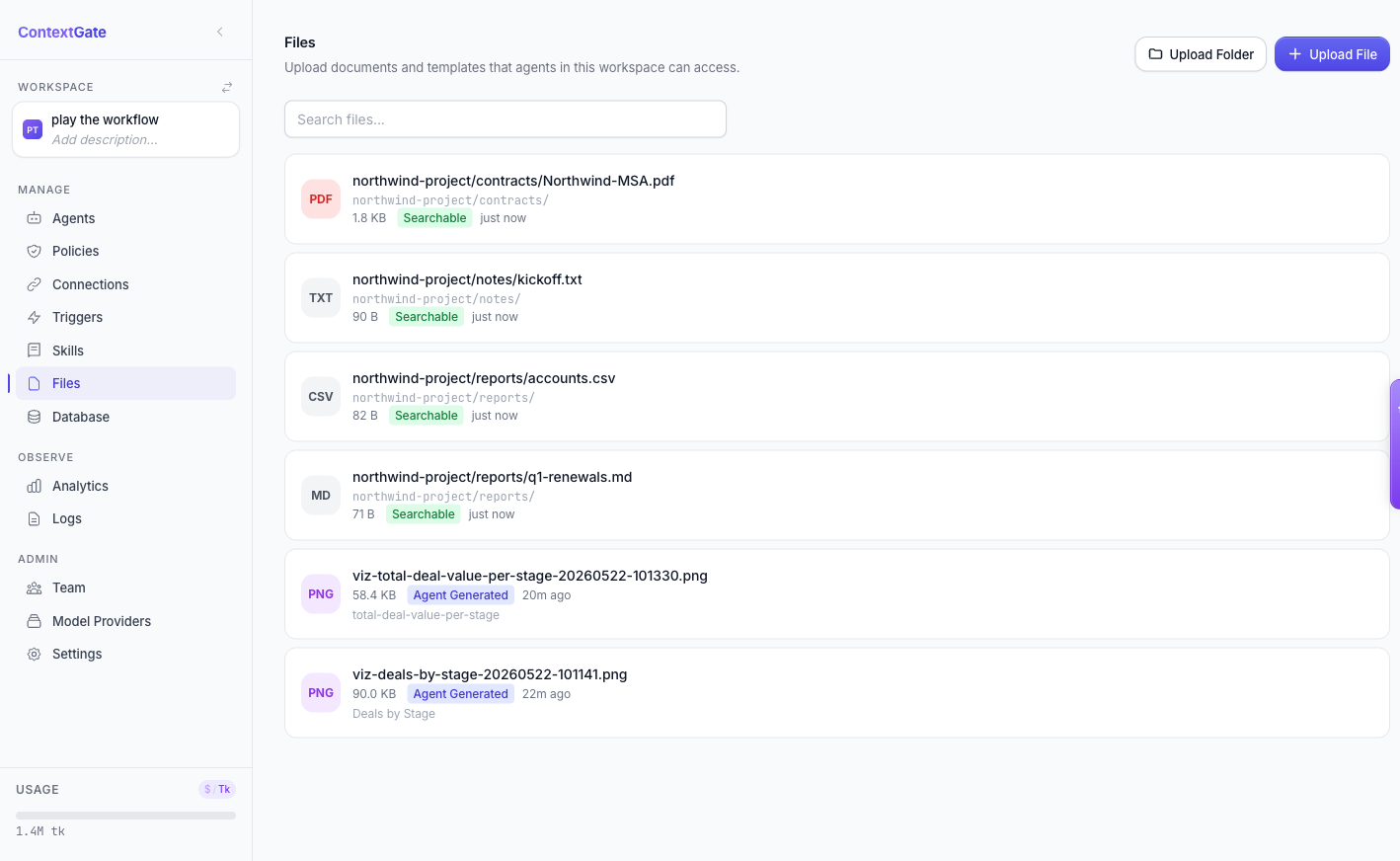
Drag a folder onto the Files page, or use Upload Folder, and ContextGate ingests every file inside it — with the directory structure preserved. A file uploaded from contracts/ still lives under contracts/; a report nested in reports/ keeps its path.
That structure is not cosmetic. The path is context: an agent treats contracts/Northwind-MSA.pdf differently from notes/kickoff.txt, and now it can, because the hierarchy survived the upload. Every ingested file is indexed and searchable the moment it lands.
PDFs the model actually reads
PDFs have always been the awkward case. Strip them to plain text and you lose tables, layout, and anything scanned.
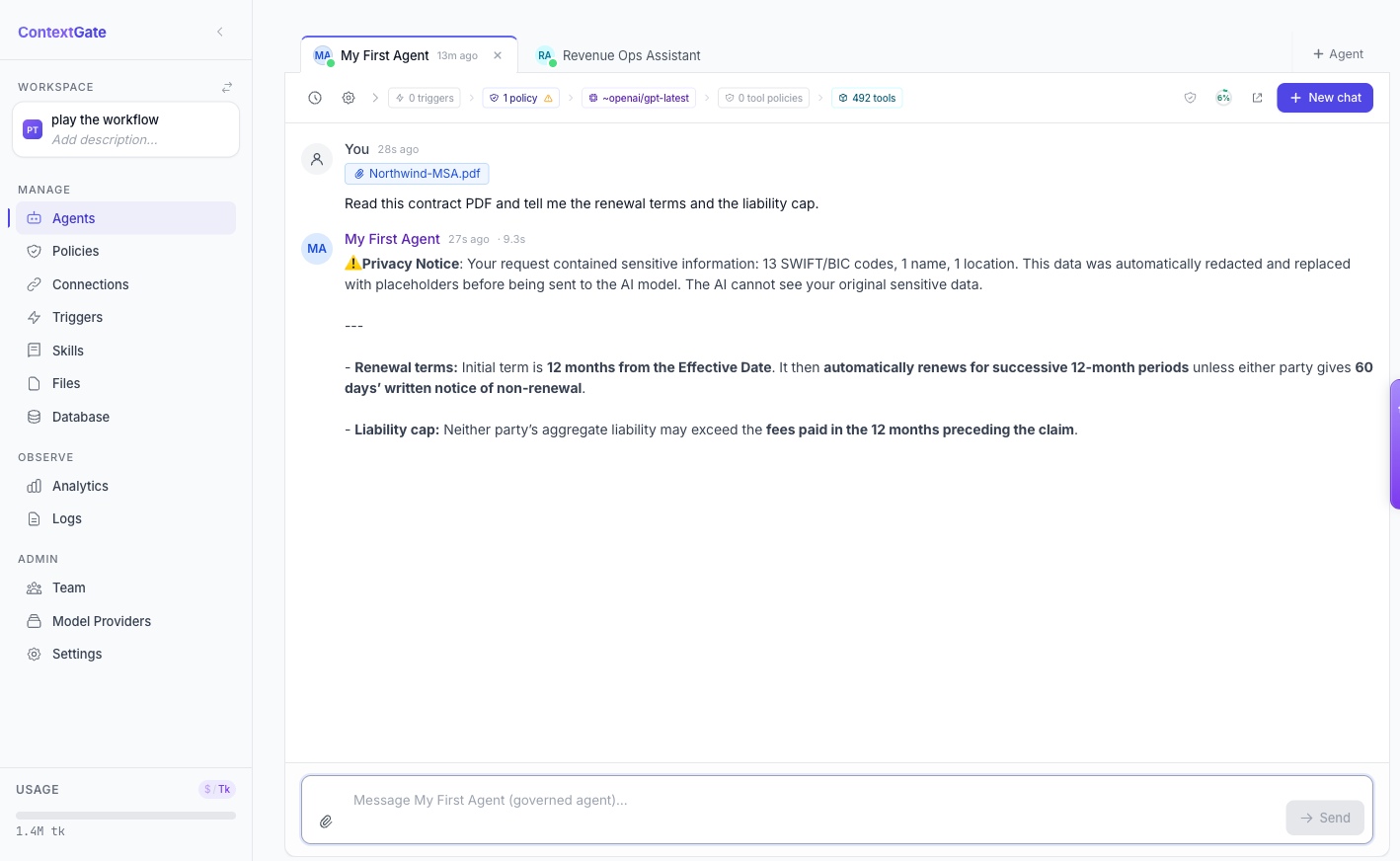
ContextGate now sends user-uploaded PDFs to supported models as native documents. Attach a PDF in chat and the model reads the real file — structure intact. Below, an agent was handed a contract PDF and asked for the renewal terms and the liability cap; it pulled both straight from the document.
Artifacts that organise themselves
Agents produce files too — charts, exports, screenshots. Left unmanaged, those pile up and bury the documents you actually uploaded.
ContextGate now sorts agent-generated files into system folders automatically, tags them with an Agent Generated badge, and hides system files behind a toggle by default. Your Files list stays focused on your project; the machine output is one click away when you want it, invisible when you do not.
Less uploading, more working
Folder ingest, native PDFs, and self-organising artifacts add up to a simple promise: bring your whole project to ContextGate as it already exists on disk, and let the agent work from the real thing — not a flattened, lossy approximation of it.
Open the Files tab in any ContextGate workspace and drag a folder in. If you do not have a workspace yet, create a free one and give your agent a project to work from.