Introducing the Skills Library: reusable, governed playbooks for your agents
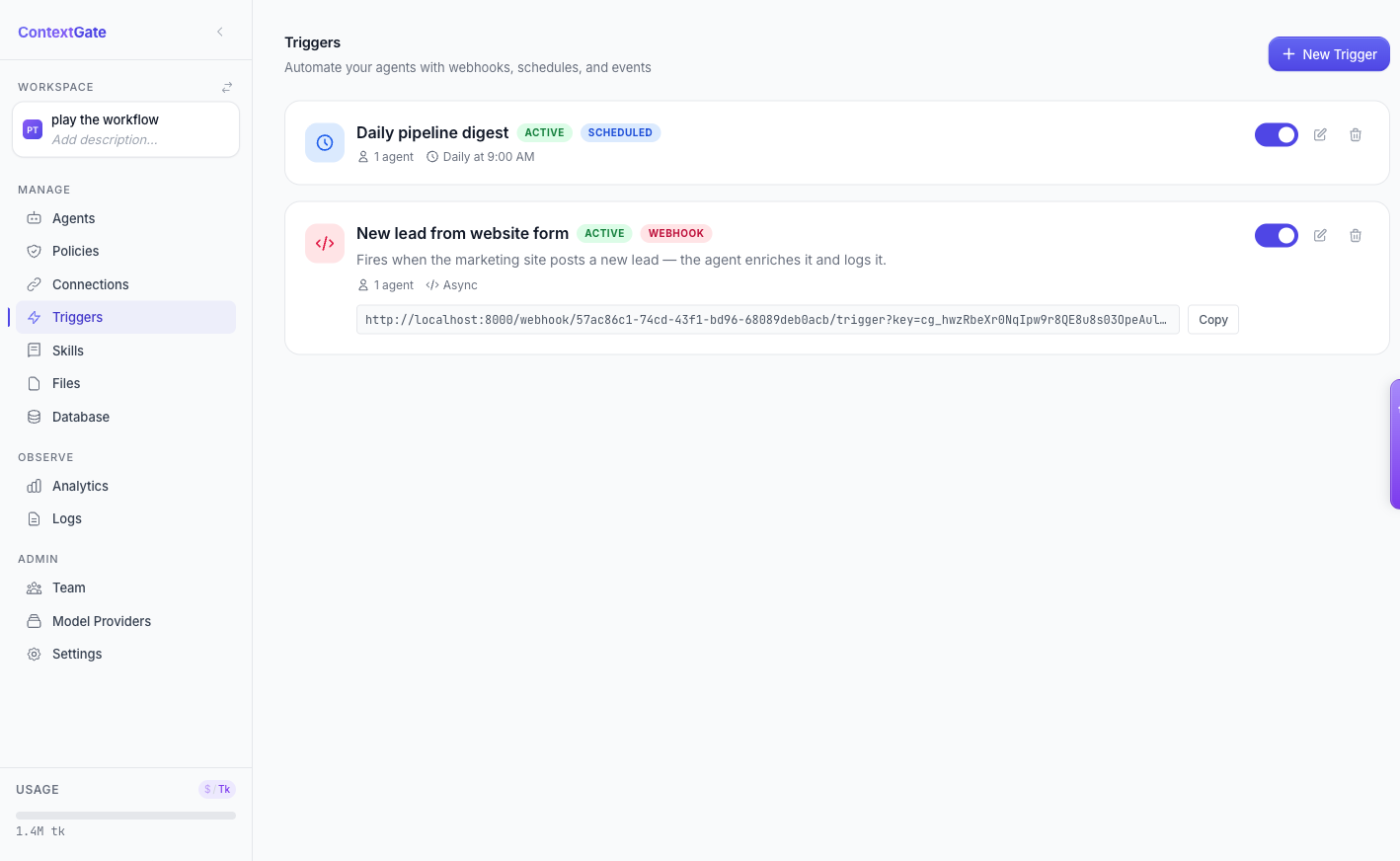
Stop re-explaining the same workflow to your agents every week. The new Skills Library turns proven procedures into versioned, governed playbooks your agents load on demand.
Anyone who has worked with an AI agent for more than a week knows the feeling. You write a careful prompt explaining exactly how to put together the Monday revenue report — which tables to read, how to compare against last week, where to post the summary. The agent nails it. Then next Monday you do it all again, because the agent has no memory of the procedure that worked.
So the workflow lives in your head, or in a Google Doc, or buried in a Slack thread. It is not versioned. It is not governed. And it certainly is not something a second agent can pick up and run.
The Skills Library fixes that. It is the largest feature we have shipped this spring, and it changes how repeatable work gets done inside a ContextGate workspace.
A skill is a playbook your agent can load on demand
A skill is a short markdown document — a name, a one-line description, a "when to use" trigger, and a body of step-by-step instructions. It lives in your workspace, not in any single agent's prompt. When an agent's task matches a skill's trigger, the agent loads that skill and follows it.
That on-demand loading matters. Skills do not sit in every prompt taking up context window. They are pulled in only when relevant, so a workspace can have dozens of detailed playbooks without bloating a single agent's baseline.
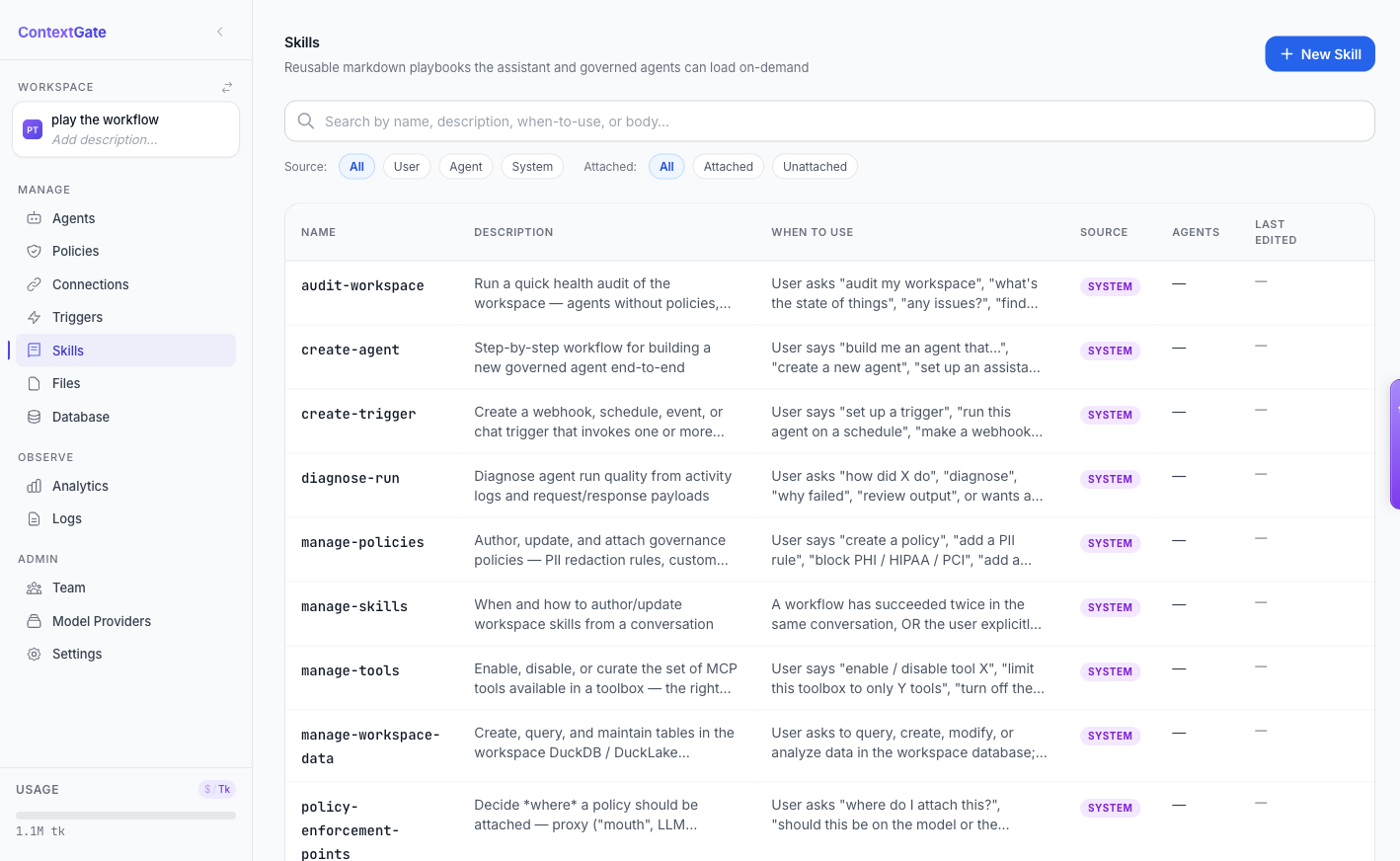
The Skills Library page is the home for all of it: a searchable, filterable catalog of every playbook in the workspace, split by source — skills authored by your team, skills authored by agents, and the built-in system skills that ship with ContextGate.
Write a skill once, in plain markdown
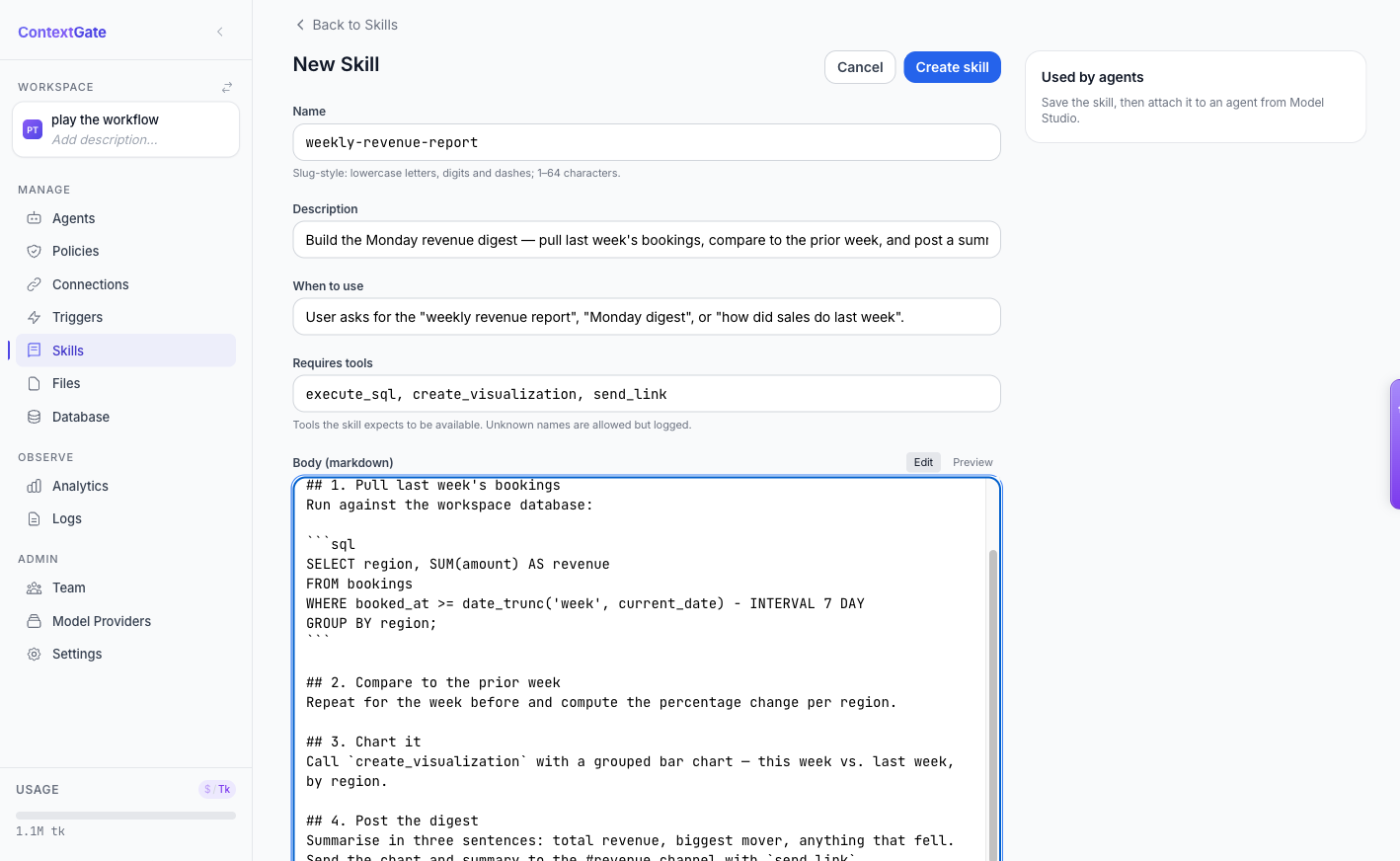
Authoring a skill takes a couple of minutes. Give it a slug-style name, describe when an agent should reach for it, list the tools it expects to have available, and write the body as ordinary markdown — headings, numbered steps, even fenced SQL or code blocks.
Here is a real example: a weekly-revenue-report skill that pulls last week's bookings, compares them to the prior week, charts the result, and posts a digest to Slack. Every agent that needs the Monday report now follows the same vetted procedure — no copy-paste, no drift.
Attach a skill by @-mentioning it
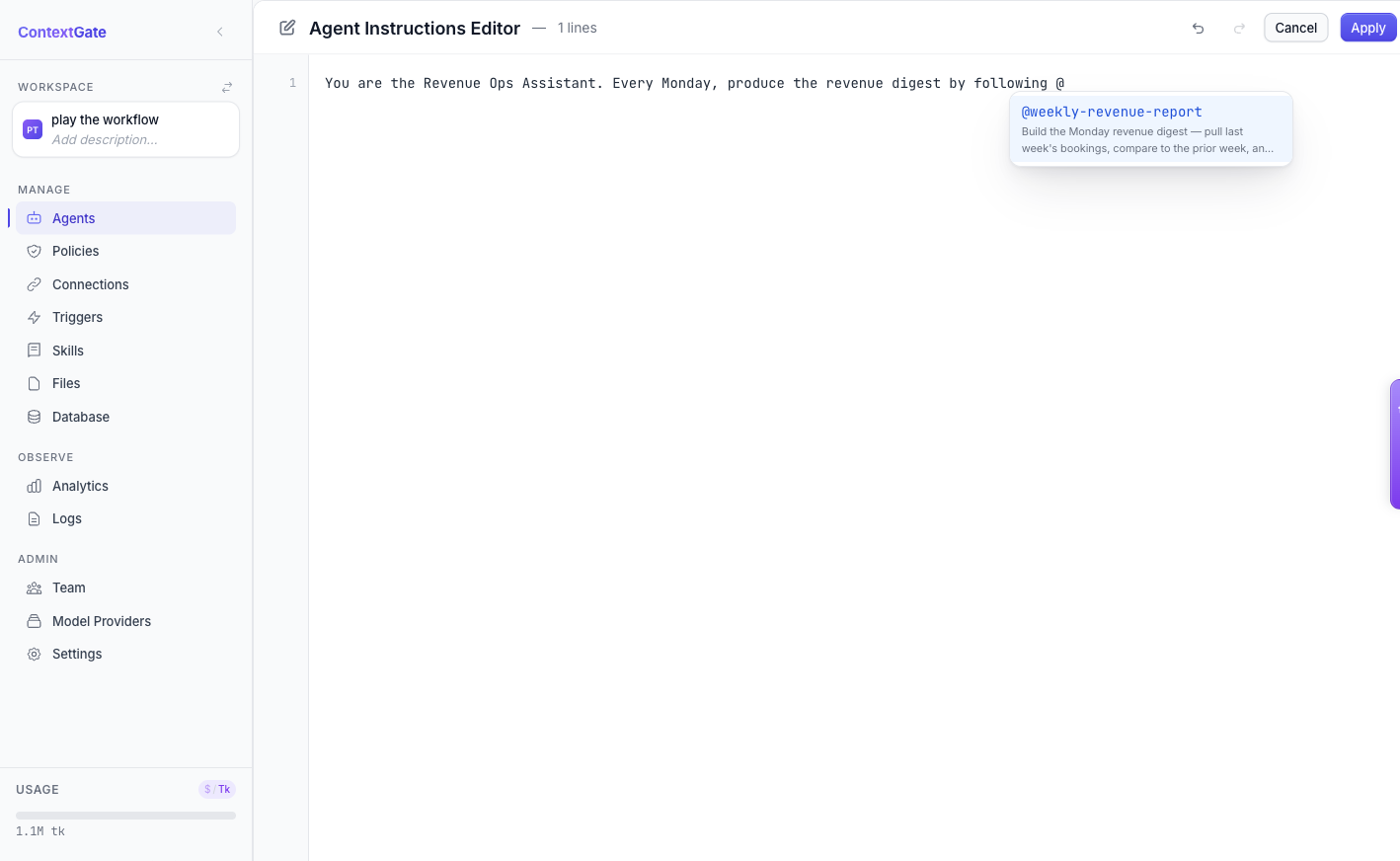
Skills become useful when they are attached to an agent. Rather than hunting through a settings panel, you reference a skill exactly where you describe the agent's job: type @ in the agent instructions editor and a picker appears with every skill in the workspace. Pick one, and it is auto-attached when you save.
You can also assign skills per agent, so your support triage agent carries the triage playbook and your revenue agent carries the reporting one — without either of them seeing the other's instructions.
Agents can write their own skills
The most interesting part: agents are not just consumers of skills, they are authors. When a workspace agent works out a procedure that succeeds — and you tell it to "save this for next time" — it can write that procedure back to the Skills Library as a new skill. The next agent to face the same task inherits the lesson.
This is governed, not a free-for-all. Agent-authored skills are tagged with their source, and an agent can only edit skills it created — it cannot quietly rewrite a playbook another agent authored. Institutional knowledge accumulates without anyone being able to tamper with someone else's work.
Every load is visible and audited
Because ContextGate is a governance platform first, skills come with the visibility you would expect. A per-run Skills Trace shows exactly which skills an agent loaded during each interaction, so you can see why it behaved the way it did. And the new Artifact Access Log in Settings records every artifact-read request an agent made — who approved it, when it was used, and against which agent — giving compliance teams a complete audit trail.
Skills are not a hidden prompt-engineering trick. They are first-class, inspectable workspace objects.
Turn your best workflows into infrastructure
The Skills Library is the difference between an agent that is clever once and an agent that gets reliably better over time. Every procedure your team proves out becomes a reusable, versioned, governed asset — available to every agent, visible to every reviewer.
Open the Skills tab in any ContextGate workspace to write your first playbook. If you do not have a workspace yet, create a free one and turn your most repetitive workflow into a skill in the next five minutes.