Introducing Triggers: turn any event into a governed agent run
A governed agent should not only run when someone opens a chat window. Triggers fire your agents from webhooks, schedules, and real-world events — and every run is governed exactly the same way.
A governed agent is only useful while someone is watching it. Or so it goes, if the only way to run an agent is to open a chat window and type. The most valuable automations are the ones that happen without a human in the loop — when a webhook fires, when the clock strikes nine, when an email lands.
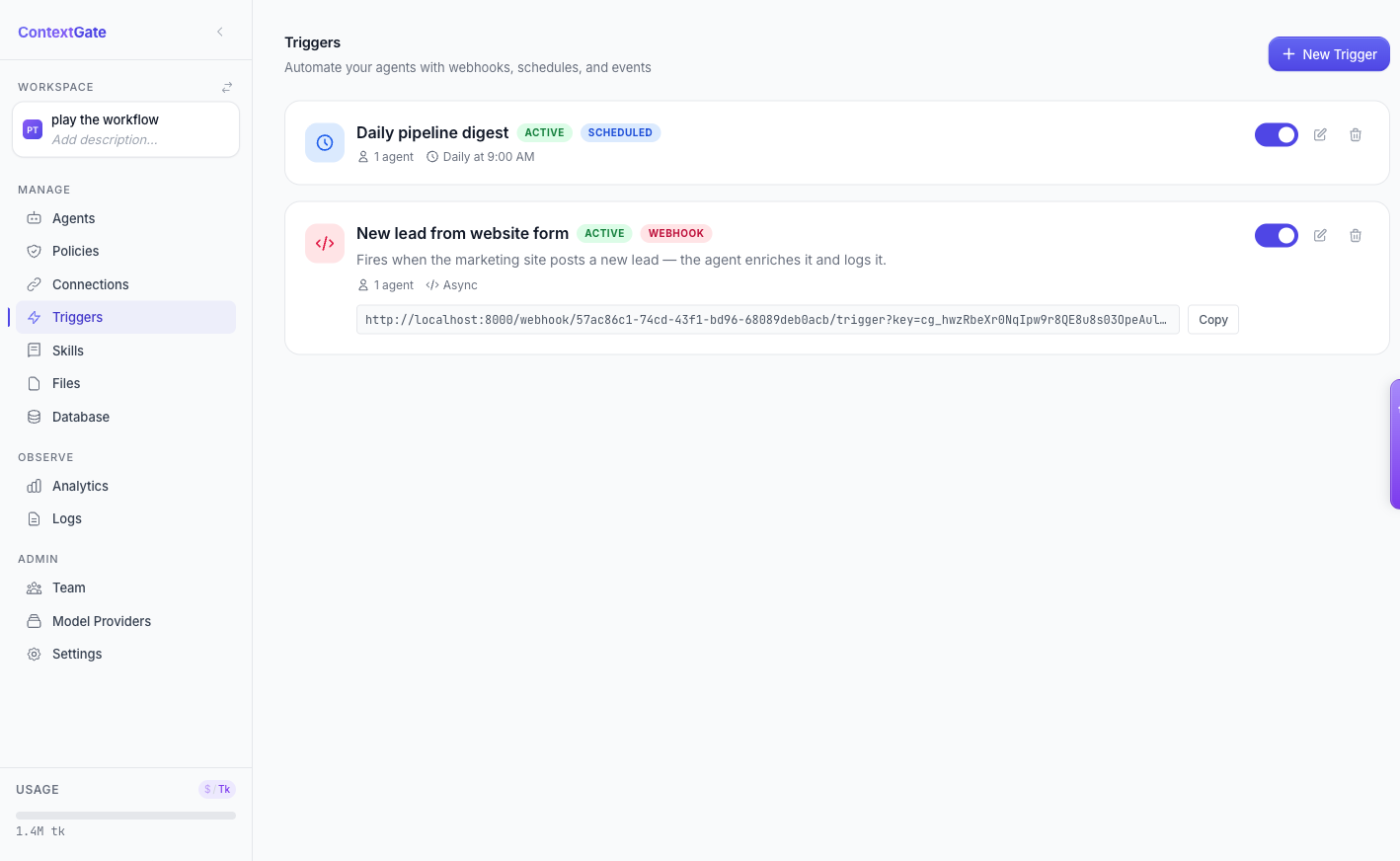
Triggers are how a ContextGate agent runs on its own. They connect an external event to a governed agent — and the run that results is governed by exactly the same policies as anything you do in chat.
Three ways to fire an agent
A trigger links one or more governed agents to an event source. Creating one is a single dialog: name it, pick the agents it should invoke, choose a type.
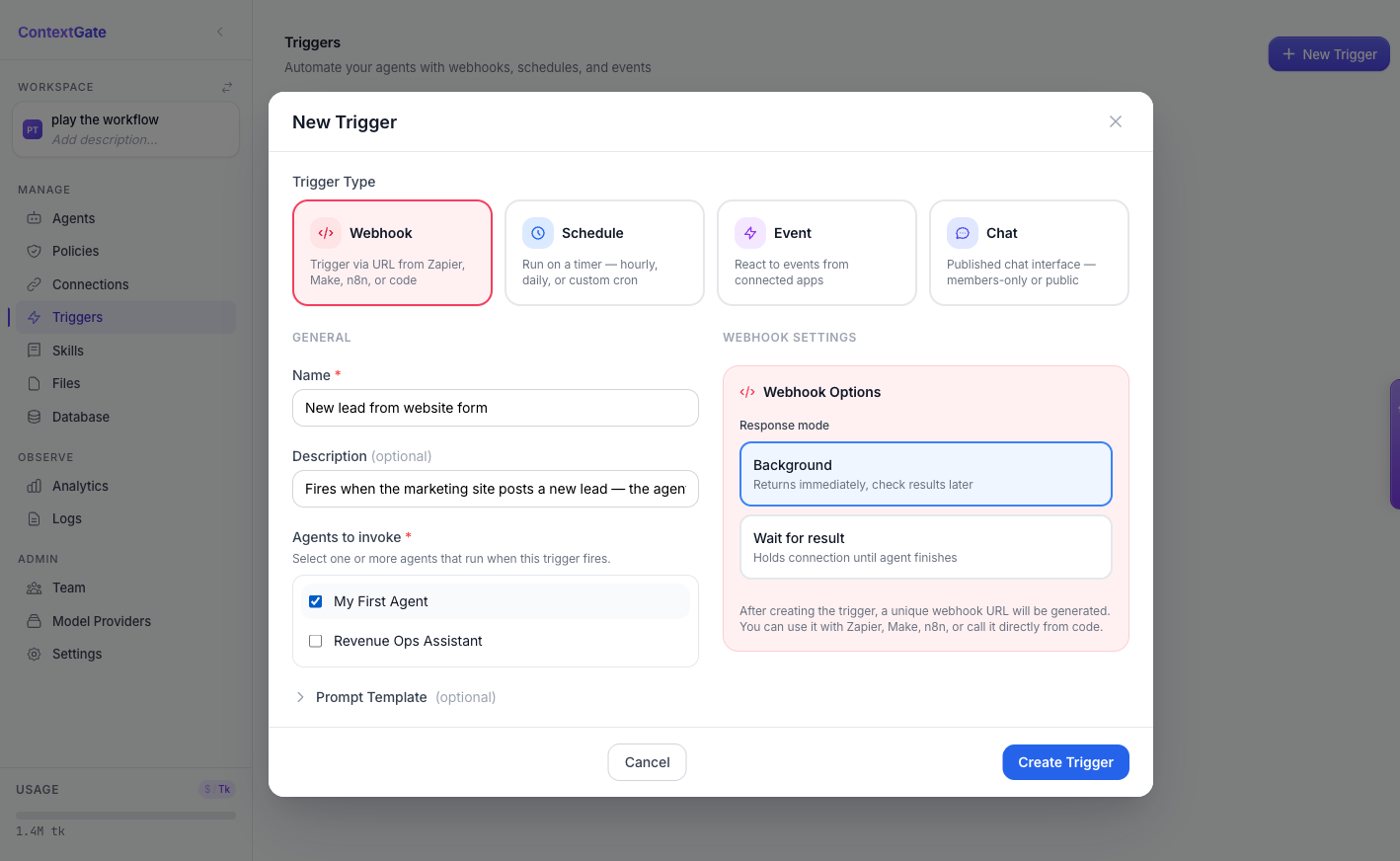
- Webhook — every agent gets a unique
POSTURL. Send it any JSON body from Zapier, Make, n8n, or your own code, and the agent runs. - Schedule — run an agent on a timer: hourly, daily, or a custom cron expression, with full timezone support.
- Event — subscribe an agent to real-world events through Composio integrations: a new Gmail message, a Slack mention, a GitHub pull request.
A schedule without the cron headache
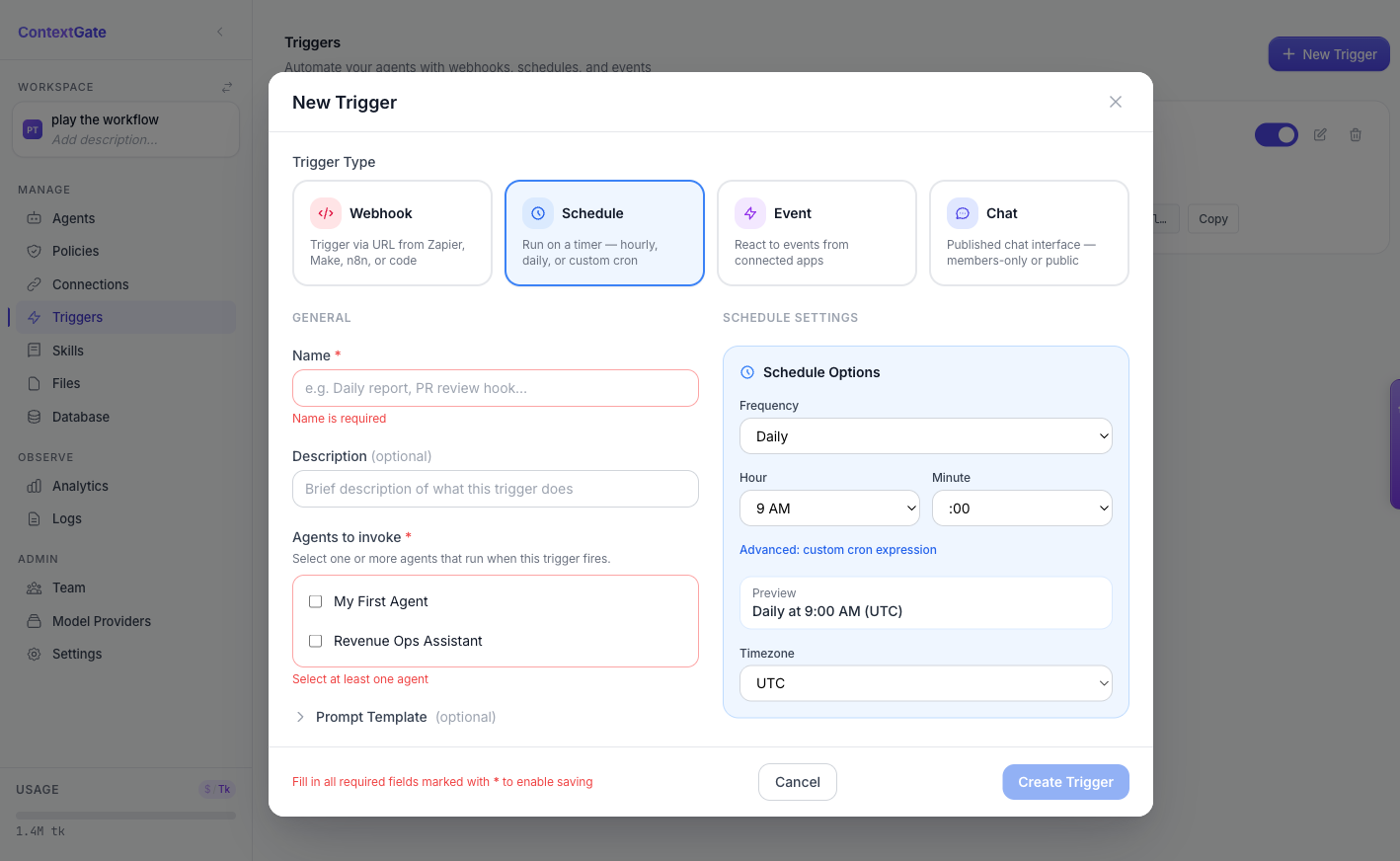
Scheduled triggers come with a builder, not a syntax lesson. Pick a frequency, an hour, a minute, and a timezone, and ContextGate shows you a plain-English preview of when the agent will run. If you do want raw cron, the advanced option is one click away.
Every trigger run is a first-class run
Here is the part that matters. A trigger does not run your agent in some lighter, ungoverned mode. Each fire creates an asynchronous run that is tracked in full — status, output, and timing — and is subject to the same policies, the same redaction, and the same audit trail as a run you started by hand.
Webhook triggers can return immediately and let you poll for the result, or hold the connection until the agent finishes — your choice per trigger. Either way, the run is inspectable afterwards, right alongside every other run in the workspace.
Governance that does not depend on who is watching
This is ContextGate's real difference on automation. Plenty of tools can fire an agent from a webhook. Far fewer can promise that the 3 a.m. webhook run obeyed exactly the same policies as the demo you ran by hand at noon. With Triggers, the human in the loop is optional — the governance is not.
Open the Triggers tab in any ContextGate workspace and wire up your first webhook or schedule. If you do not have a workspace yet, create a free one and let an agent start working while you are away.